Animate landscapes with natural motion

Plan movement for a painted landscape using water, clouds or wind. Keep buildings and terrain steady, then inspect the result for drifting edges and changing textures.

To animate a landscape, choose one visible part of the scene that could move: ripples on water, clouds crossing the sky, or grass moving in a breeze. Describe its direction and pace, then name the structures that should stay fixed. Begin with a locked camera.

Waves roll into the shore

Study waves around a fixed shoreline

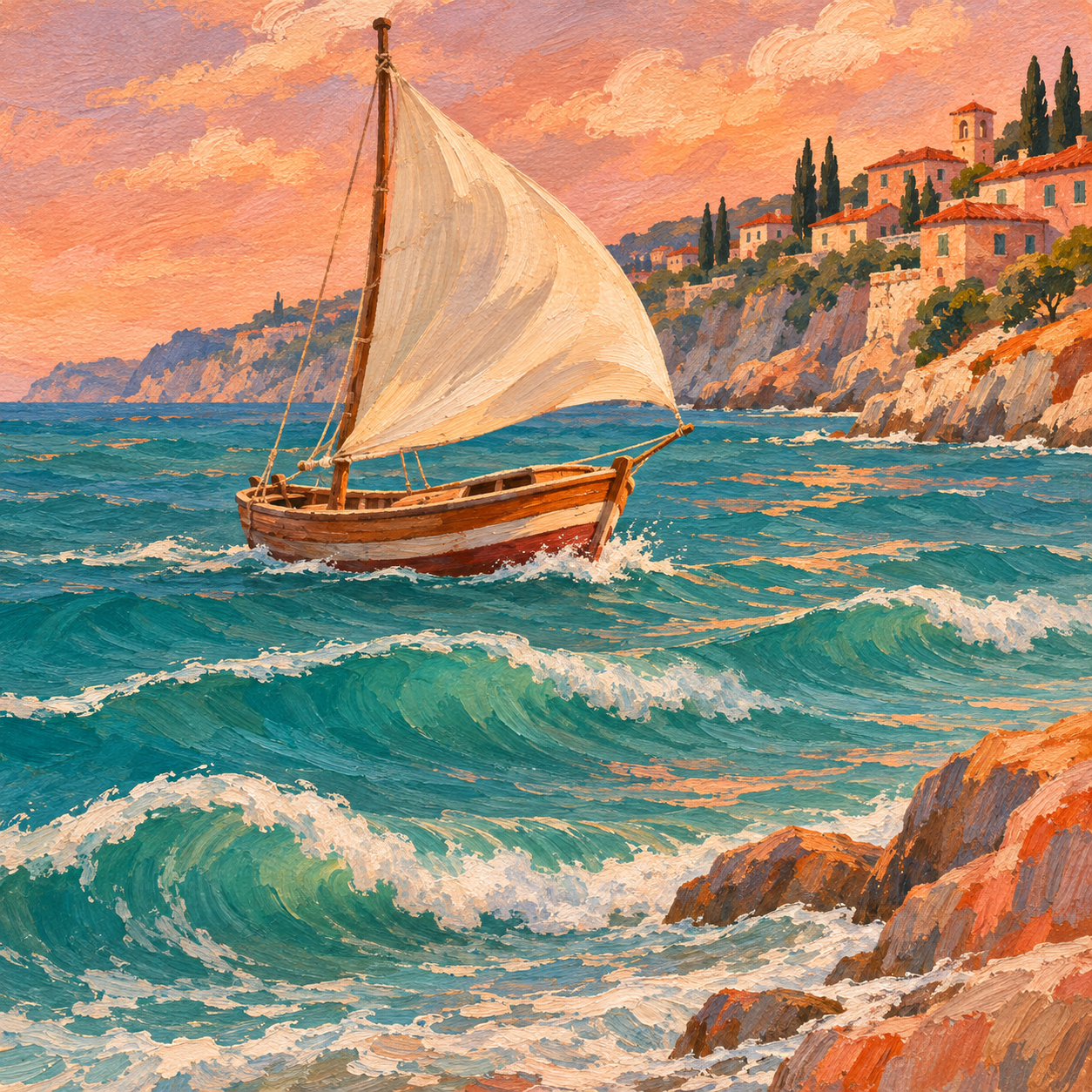
This prepared coastal illustration combines waves with a rocking sailboat. Watch the foam at the shoreline, the mast and the distant buildings. For a simpler first prompt, isolate the water movement before adding a moving boat or sail.

Original illustration created with OpenAI Image Generation. Video prepared independently with Wan2.2 Turbo on Fal; this is a motion study, not a result from the current site generator.

Source artwork and the prompt used

OpenAI illustration · Wan2.2 Turbo on Fal · Prepared for Animate Artwork

Download this input

Prompt used

Broad turquoise waves immediately roll toward the rocky shore, their white foam visibly advancing and breaking. The sailboat rocks with the water and its cream sail visibly billows in the breeze. Keep the boat intact, mast straight and distant buildings fixed. Preserve the original gouache brushwork and colors. Locked camera, no zoom, no cuts.

Before you animate landscapes

Separate the scene into a moving layer and a visual anchor before writing the prompt. Water needs a recognizable shoreline; clouds benefit from a clear skyline. Keep a copy of the original painting so you can compare those boundaries later. Prepare one JPG or PNG up to 4 MB, rather than a sequence of frames.

  1. Find a visible moving layer

    Look for water, clouds, leaves, grass or existing rain. Use artwork you have permission to upload. Prefer an element already present over asking the model to add new weather or objects.

  2. Set direction and intensity

    Describe gentle ripples toward the shore or clouds drifting slowly to the right. Keep the motion compatible with the scale and mood of the painting.

  3. Anchor the composition

    Name the mountains, horizon, buildings or shoreline that should stay still. Keep the camera fixed so you can distinguish moving water from movement of the whole frame.

Three landscape motion prompts

These are suggested starting prompts, not demonstrated outputs. Adapt the subject to what is already visible in your artwork.

Water without a moving shore

Begin with ripples rather than a storm. This gives you a clear boundary to inspect where the water meets land.

Small ripples move gently toward the painted shoreline. Keep the rocks, shore, buildings and horizon fixed. Preserve the original colors, composition and brushwork. Locked camera, no zoom, no new objects.

Slow clouds over steady terrain

Use a scene with distinct clouds. Keep changes in lighting out of the first prompt so cloud movement is easier to assess.

The existing clouds drift slowly to the right across the painted sky. Keep the mountains, trees, ground and light level unchanged. Preserve the cloud shapes and painted texture as much as possible. Fixed camera, no cuts.

A breeze through grass

Ask for a small movement in grass or leaves. Tree trunks and buildings provide a useful reference for unwanted warping.

A soft breeze moves the foreground grass gently from side to side. Keep tree trunks, distant hills and buildings still. Preserve the original scene and brushwork. Locked camera, no zoom, no added objects.

Separate natural movement from distortion

Check fixed landmarks as carefully as the moving element. Compare the horizon, architecture, shore and painted texture across the clip. AI animation can change shapes or add details even when the prompt asks to preserve them.

When you animate landscapes with several possible movements, first review a version with just one. If the whole scene slides, remove the camera motion. If water reshapes the coast, reduce the ripple size and explicitly anchor the shoreline. A calm study is easier to evaluate than a prompt combining a storm, a moving boat and a sweeping camera.

Buildings or the horizon drift
Remove camera pans and zooms. Name the fixed landmarks and reduce the request to one moving element. A stable-camera prompt still needs visual review.
Water melts into the shore
Ask for smaller ripples instead of large breaking waves. Keep the shoreline fixed and inspect its edge in several frames before accepting the result.
The scene gets busy or changes style
Remove added birds, boats, weather changes and dramatic lighting from the prompt. Keep one motion and request the original palette and texture, without assuming they will be preserved exactly.

Good to know

Which parts of a landscape are useful starting points?

Start with water, clouds, grass or leaves that are already visible. Pick one motion and use fixed landmarks to inspect the result. Adding new objects or several weather effects makes changes harder to isolate.

Will the animation make a seamless loop?

A short animated clip is not necessarily a seamless loop. Compare the first and last frames and the motion at the join. A prompt asking for a loop does not guarantee a clean transition; additional editing may be needed.

Does the coastal example show the current site model?

No. The source illustration was made with OpenAI Image Generation, and the motion study was prepared independently with Wan2.2 Turbo on Fal. It demonstrates a motion idea, not the current site generator’s quality or availability.

Prepare your artwork and motion

The recorded examples are free to watch. When the free trial is available, you can create 1 preview without an account; sign in to download the full video. The tool shows whether generation is available. A one-time pack is $4.90 for 3 successful videos, with credits to use within 90 days of payment. Sign in before purchasing.

Open the artwork workspace