Animate portraits with subtle motion

Plan a restrained animation for a painted or illustrated portrait: choose one facial or hair movement, keep the camera still, and check for changes to the face.

To animate a portrait, begin with a clear face and one small action, such as a single blink or a light breeze through the hair. Name the features that should stay still. A prompt can request a consistent face and painted texture, but cannot guarantee either.

A sketchbook moment becomes a greeting

Study a small change in gaze

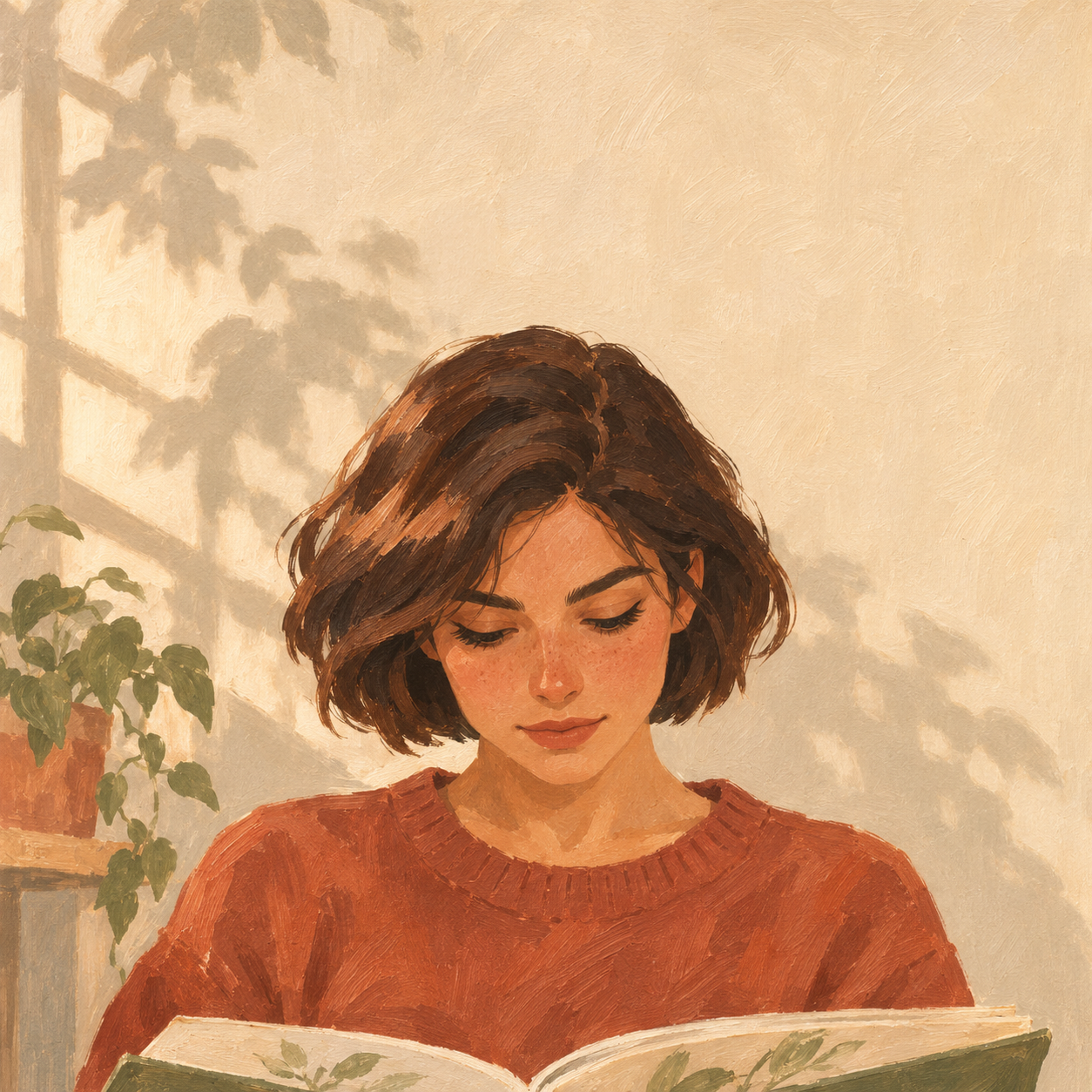
This prepared illustration shows a young woman lifting her head from a sketchbook. Compare the shape of her face, eyes and hair as she moves. A head lift asks the model to invent more detail than a blink, so use it as a motion study rather than a promise of portrait fidelity.

Original illustration created with OpenAI Image Generation. Video prepared independently with Wan2.2 Turbo on Fal; this is a motion study, not a result from the current site generator.

Source artwork and the prompt used

OpenAI illustration · Wan2.2 Turbo on Fal · Prepared for Animate Artwork

Download this input

Prompt used

The illustrated young woman immediately lifts her chin from the sketchbook and raises her eyes to look directly at the viewer, completing the clear head lift in the first two seconds. She gives a small closed-mouth smile and holds eye contact. Keep her shoulders, sweater and sketchbook in place. Preserve the same face, bob haircut, freckles, colors and painted gouache texture. Locked camera, no zoom, no cuts.

Before you animate portraits

A painted portrait supplies the face, lighting and composition; the motion prompt supplies the action. Keep an untouched source file for comparison. Start with a close or medium view rather than a distant figure, and choose one subject when checking likeness is your priority. Use a JPG or PNG up to 4 MB in the workspace.

  1. Choose a readable face

    Use artwork you have permission to upload. Prefer one clearly visible face, with the eyes and hair distinguishable from the background. A tiny or obscured face makes changes harder to inspect.

  2. Pick one moving feature

    Start with a blink, a slight movement of loose hair, or gentle breathing. Avoid asking for a turn, a smile and speech together. Each action creates another detail to review.

  3. Define what stays still

    Name the head position, mouth, clothing and background you want to preserve. Keep the camera locked for the first attempt so subject movement is easier to judge.

Three restrained portrait prompts

These are suggested starting prompts, not demonstrated outputs. Adapt the subject to what is already visible in your artwork.

A single blink

A useful starting point when the face is already looking toward the viewer. Keep the mouth and gaze unchanged.

The painted subject blinks once, slowly, then holds the original gaze. Keep the head, mouth, shoulders and background still. Preserve the face shape, colors and painted brushwork. Locked camera, no zoom, no cuts.

A breeze through the hair

Choose this when loose strands are visible. Ask for hair movement without also asking the person to turn.

A light breeze gently moves the loose strands of the subject’s hair. The face, expression, head position and clothing remain still. Preserve the original silhouette and illustrated texture. Locked camera, no new objects.

Gentle breathing

Try a small movement of the shoulders in a portrait that includes the upper body. Watch for clothing or neckline distortion.

The illustrated subject breathes gently, with a very slight rise and fall of the shoulders. Keep the face, eyes, mouth and hands still. Preserve the clothing details and painted texture. Fixed camera, no cuts.

Check the face before sharing

Watch the whole clip, then pause near the beginning, middle and end. Compare those frames with the original. A convincing opening frame does not establish that the face stays consistent throughout.

When you animate portraits for a character introduction or a small moving illustration, judge the expression as well as the movement. If a blink changes the eye shape, remove any head turn and simplify the request. If a consistent face is essential and the result still drifts, use a method that gives you direct control over the original layers.

The face or expression changes
Remove head turns, speech and smiles from the next prompt. Try one blink or move only the hair. If likeness must remain exact, generative animation may not suit the task.
Hands or clothing warp
Keep those areas explicitly still and remove body gestures. Inspect the result again; a preservation instruction is a request, not a lock on pixels.
The whole image drifts
Remove camera movement and zoom instructions. Ask for a fixed background and one local action, then check whether the subject actually moves independently.

Good to know

Can I animate a painted portrait without changing the face?

You can request a consistent face and limit movement, but exact likeness is not guaranteed. Review the eyes, mouth, face outline and expression across the entire result. Do not rely on generative motion when exact preservation is essential.

What motion should I try first?

Choose one action already supported by the image: a single blink for a clear face, or slight hair movement when loose strands are visible. Large head turns require more unseen detail to be invented.

Is the portrait example an output from the current generator?

No. The original illustration was made with OpenAI Image Generation, and the video was prepared independently with Wan2.2 Turbo on Fal. It is a motion study, not evidence of the current site generator’s output.

Prepare your artwork and motion

The recorded examples are free to watch. When the free trial is available, you can create 1 preview without an account; sign in to download the full video. The tool shows whether generation is available. A one-time pack is $4.90 for 3 successful videos, with credits to use within 90 days of payment. Sign in before purchasing.

Open the artwork workspace